
To transcribe an Instagram Reel to text, paste the Reel's link into TranscribeGo, click Transcribe, and you'll get a full transcript in seconds — with timestamps, an AI summary, one-click translation into 90+ languages, and the option to export SRT captions. There's no video download, no screen recording, and no app to install. If you want to transcribe Instagram Reels in bulk or on the go, you can do it from the web, WhatsApp, or Telegram, all under one account.
Reels aren't a side feature anymore — they're the main event. Reels are played more than 200 billion times a day across Instagram and Facebook, and the format now accounts for roughly half of all time people spend inside Instagram. Crucially for anyone doing research or repurposing, about 55% of Reels views come from people who don't follow the account, which means an enormous amount of tutorials, interviews, product breakdowns, and news clips are reaching you from creators you've never heard of — all locked inside short vertical videos.
The problem is that Instagram gives you no way to export that spoken content as text. Auto-captions are burned into the video: you can't copy them, search them, or download them as a file. So when you need the actual words — to quote them, translate them, study them, or turn them into a post — you need a real transcription tool. Here's the fastest way to do it.
Why you can't just copy the text from a Reel
Instagram was built for watching, not reading. There is no "download transcript" button anywhere in the app, and the automatic captions you sometimes see are rendered on top of the pixels, not stored as text you can select. Screenshotting them and retyping is slow and error-prone, especially for a two-minute Reel packed with detail.
That gap matters more than it sounds, because most people aren't even listening. A Verizon and Publicis study found that 92% of consumers watch video with the sound off at least some of the time, and captioned videos see up to an 80% higher completion rate than silent ones. A clean text transcript solves both problems at once: it gives you something to read, and something to turn into proper captions.
The fastest way to transcribe an Instagram Reel: 3 steps
You don't need to download the Reel, install anything, or sign up for the free tier. The whole flow is copy, paste, transcribe.
Step 1: Copy the Reel link
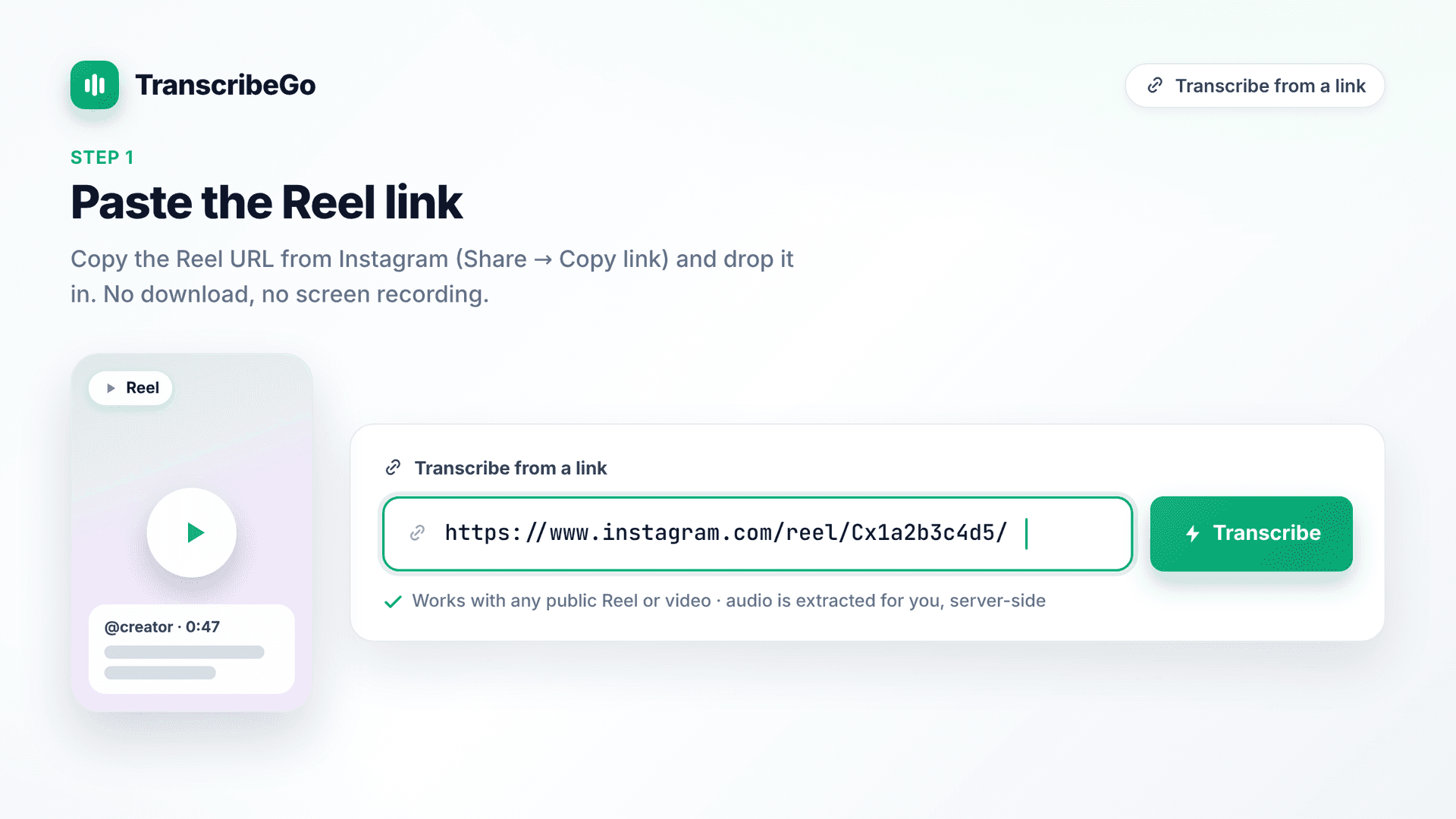
Open the Reel you want in the Instagram app or in your browser. Tap the Share icon (the paper-plane arrow under the video) and choose Copy link. On desktop, click the ⋯ menu on the post and select Copy link, or just copy the URL from your browser's address bar. It will look something like https://www.instagram.com/reel/Cx1a2b3c4d5/.
Step 2: Paste the link into TranscribeGo and hit Transcribe
Open the Instagram transcription page and paste the Reel link into the box. Click Transcribe. Our AI technology pulls the audio from the Reel server-side and starts processing — you never touch the video file yourself. Most Reels are under 90 seconds, so the transcript is usually ready in 10–30 seconds.
Step 3: Read, copy, translate, or export
When processing finishes, you land on the result page, which gives you:
- The full transcript, automatically punctuated and split into paragraphs, editable in place so you can fix a word in a second
- An AI summary — the point of a 90-second Reel in two or three lines
- Detected language, duration, and word count, with an Instagram source badge
- Export options: copy to clipboard, download as TXT, or download an SRT subtitle file with timestamps
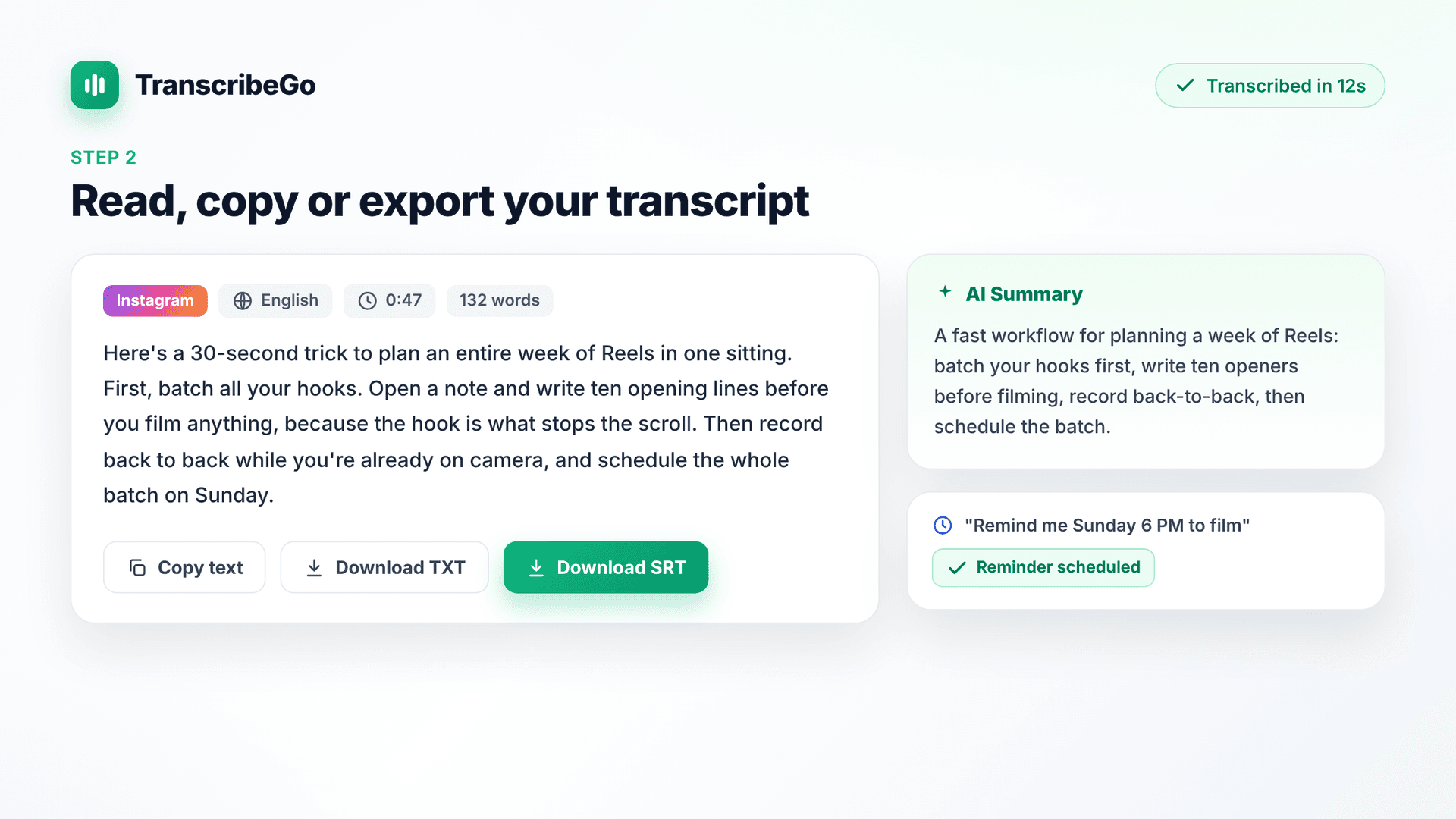
The transcript is detected in whatever language the Reel is spoken in, and more than 90 languages are supported — so a Reel in Spanish, Portuguese, Hindi, or Arabic transcribes just as cleanly as one in English.
Turn your Reel into SRT captions
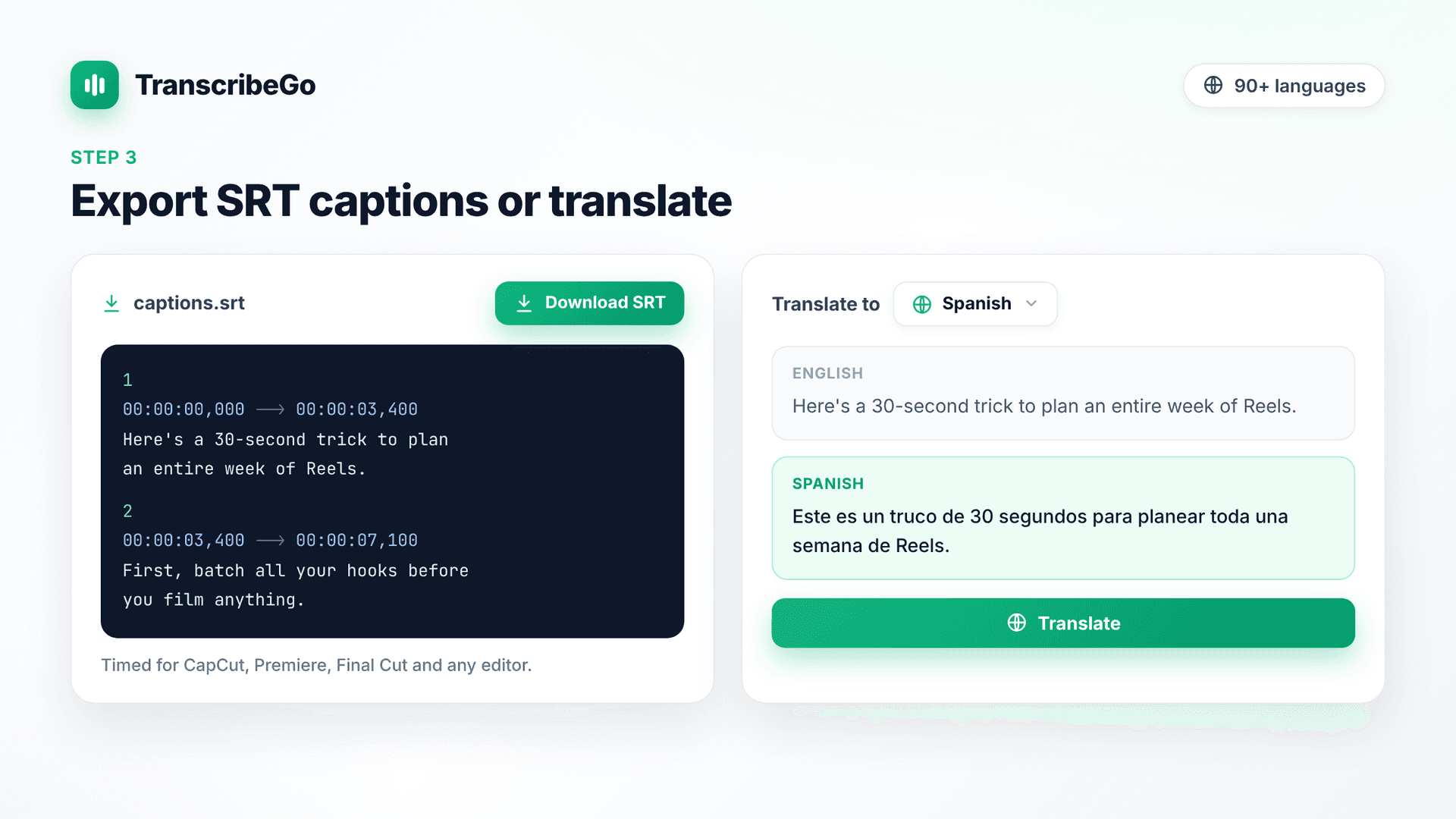
If you create Reels rather than just watch them, the SRT export is the part you'll use most. Click Download SRT on the result page and you get a properly timed subtitle file you can drop straight into CapCut, Premiere Pro, Final Cut, or any editor to burn captions onto a re-edited cut.
This is worth doing on purpose. With the majority of viewers watching on mute, captions are what keep them from scrolling past — and the same SRT file works when you cross-post the Reel to TikTok, YouTube Shorts, or subtitles for other social platforms. If you publish to bilingual audiences, you can generate a second SRT in another language too, exactly as covered in our guide to creating bilingual subtitles. For a deeper look at the format itself, see the complete guide to SRT files.
Beyond the transcript: everything else you get
Transcribing the Reel is where most tools stop. It's where TranscribeGo starts.
- Reminders by voice or text. In WhatsApp or Telegram you can say or type "Remind me to post the client's Reel tomorrow at 3pm" and TranscribeGo schedules it — one-off or recurring, like "remind me every Monday at 9am to plan this week's Reels." No other transcription tool turns your messages into reminders.
- One-click translation into 90+ languages, so you can transcribe a creator's Reel in one language and read it in yours.
- AI summaries on every transcript, to triage a long video in five seconds.
- URL transcription from more than just Instagram. Paste a link from YouTube, TikTok, Vimeo, Facebook, X/Twitter, SoundCloud, Twitch, TED, or Dailymotion and get the text the same way.
- A searchable web dashboard where every transcript, from every channel, lives in one place at transcribego.com.
- Three channels, one account. Work from the web app, WhatsApp, or Telegram — they share a single unified account, so a transcript you start on your phone is waiting in your dashboard on your laptop.
That mobile angle matters for Reels specifically: you're usually watching them on your phone. Instead of switching to a laptop, you can forward audio and links to the WhatsApp or Telegram bot and keep the whole workflow on the device you're already holding.
Why transcribe Instagram Reels?
Beyond simply reading a video you can't play out loud, a text version of a Reel unlocks a few concrete workflows.
Repurpose content faster
A single 60-second Reel can become a blog paragraph, a newsletter quote, an X thread, or a LinkedIn post once it's text. Creators repurposing their own catalogue save hours — the transcript is the raw material. Our guide on turning videos into posts walks through the repurposing flow end to end, and content creators lean on it constantly.
Make Reels searchable and SEO-friendly
Search engines and AI assistants can't watch a video, but they can index text. Publishing the transcript of your own Reels on your site makes that content discoverable in Google and in tools like ChatGPT and Perplexity — reach a Reel alone will never get.
Research and accessibility
Marketers and journalists constantly need to analyze what's being said across Instagram; a searchable transcript makes a Reel quotable and cross-referenceable in seconds instead of minutes. And captions make your content usable by viewers who are deaf or hard of hearing, or who simply watch on mute — which, as the numbers show, is most of them.
Try TranscribeGo Free
10 free minutes. No credit card required.
Frequently Asked Questions
How do I transcribe an Instagram Reel to text?▾
Copy the Reel's link (Share → Copy link), paste it into the Instagram transcription page at transcribego.com, and click Transcribe. In seconds you get a full text transcript plus an AI summary, and you can export SRT captions or translate the text into 90+ languages. You don't need to download the Reel.
Can I transcribe Instagram Reels for free?▾
Yes. TranscribeGo's Free plan includes transcription minutes at no cost — enough for a batch of typical Reels, since most are under 90 seconds. Just paste the link and go. See the plans page at transcribego.com for what's included in Free, Starter and Pro in your country.
Do I need to download the Reel first?▾
No. TranscribeGo extracts the audio from the Reel link on the server side, so there's nothing to download, convert, or upload. The only exceptions are Reels from private accounts, which you'd need to download and upload as a file, and photo-only posts, which have no audio to transcribe.
Can I get captions (SRT) for my own Reel?▾
Yes. After transcribing, click Download SRT on the result page to get a timed subtitle file. Import it into CapCut, Premiere Pro, Final Cut, or any editor to add captions — useful because most viewers watch Reels on mute, and captioned videos see meaningfully higher completion rates.
What languages do Instagram Reels transcriptions support?▾
The spoken language is detected automatically, and more than 90 languages are supported for transcription, including English, Spanish, Portuguese, French, German, Italian, Hindi, Arabic, Turkish, Indonesian, Vietnamese and Russian. You can also translate any transcript into any of those languages with one click.
How accurate is Instagram Reel transcription?▾
Our AI technology delivers high accuracy on clear speech, which covers most Reels — a single creator talking close to the camera. Heavy background music, several people talking over each other, or a very strong accent can reduce accuracy. Every transcript is editable in place, so you can correct a word instantly before exporting.