
Want to transcribe a TikTok video to text? Paste the TikTok URL into TranscribeGo, click Transcribe, and you'll get a full text transcript — with timestamps, an AI summary, and the option to download SRT subtitles or translate to 90+ languages. No app install, no video download, no account required for the free tier.
TikTok has nearly 2 billion monthly active users uploading over 16,000 videos per minute. That's an enormous amount of spoken content locked inside short videos — tutorials, interviews, product reviews, cooking tips, news clips, educational explainers. Whether you're a content creator repurposing videos into blog posts, a student capturing lecture snippets, a journalist archiving sources, or a marketer analyzing competitor content, having a text version of a TikTok video saves hours of manual work.
The problem is that TikTok doesn't offer a built-in transcript export feature. Auto-captions exist but they're baked into the video — you can't copy, search, or download them as text. That's where a dedicated transcription tool comes in.
Here's how to transcribe any TikTok video to text using TranscribeGo — step by step.
Step 1: Copy the TikTok Video URL
Open TikTok (in your browser or the mobile app) and find the video you want to transcribe. Tap the Share button (the arrow icon on the right side of the video) and select Copy link. This copies the full URL to your clipboard — it usually looks like https://www.tiktok.com/@username/video/1234567890.
If you're on desktop, you can also copy the URL directly from your browser's address bar.
Step 2: Paste the URL into TranscribeGo and Transcribe
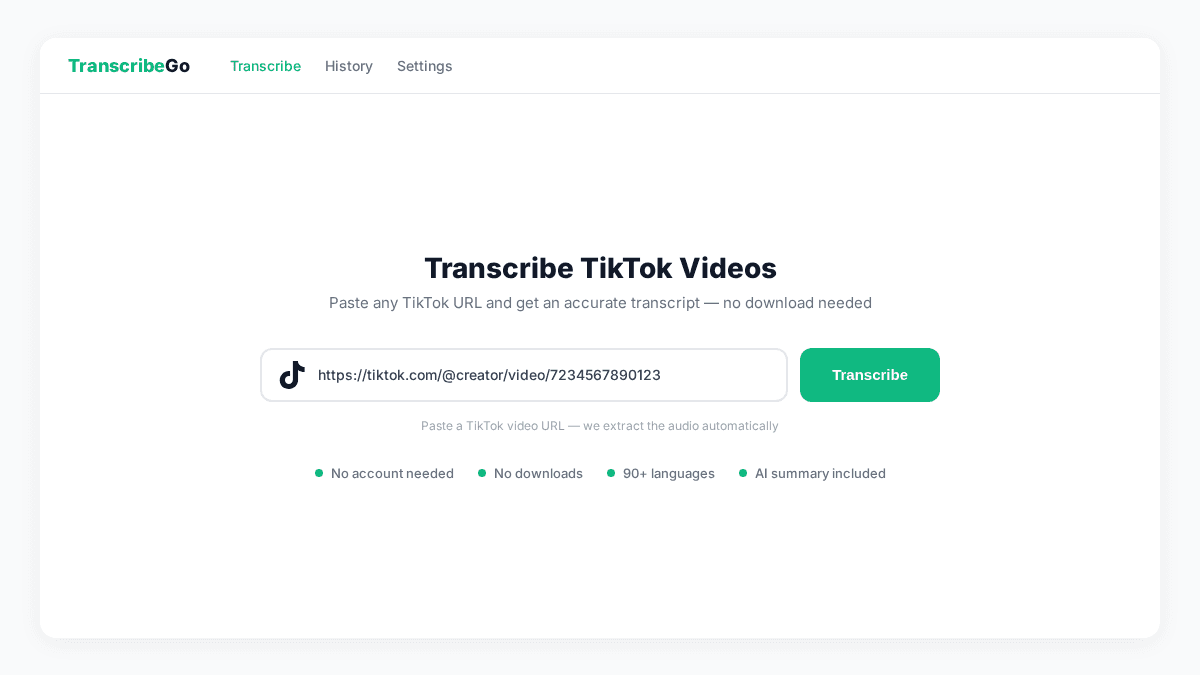
Open TranscribeGo and go to the Transcribe page. You'll see a URL input field under "Transcribe from a link." Paste your TikTok URL and click Transcribe.
TranscribeGo's AI engine automatically extracts the audio from the TikTok video and processes it. Most TikTok videos are under 3 minutes, so transcription typically completes in 10–30 seconds. You don't need to download the video yourself — the platform handles the extraction server-side.
Step 3: Review Your Transcript
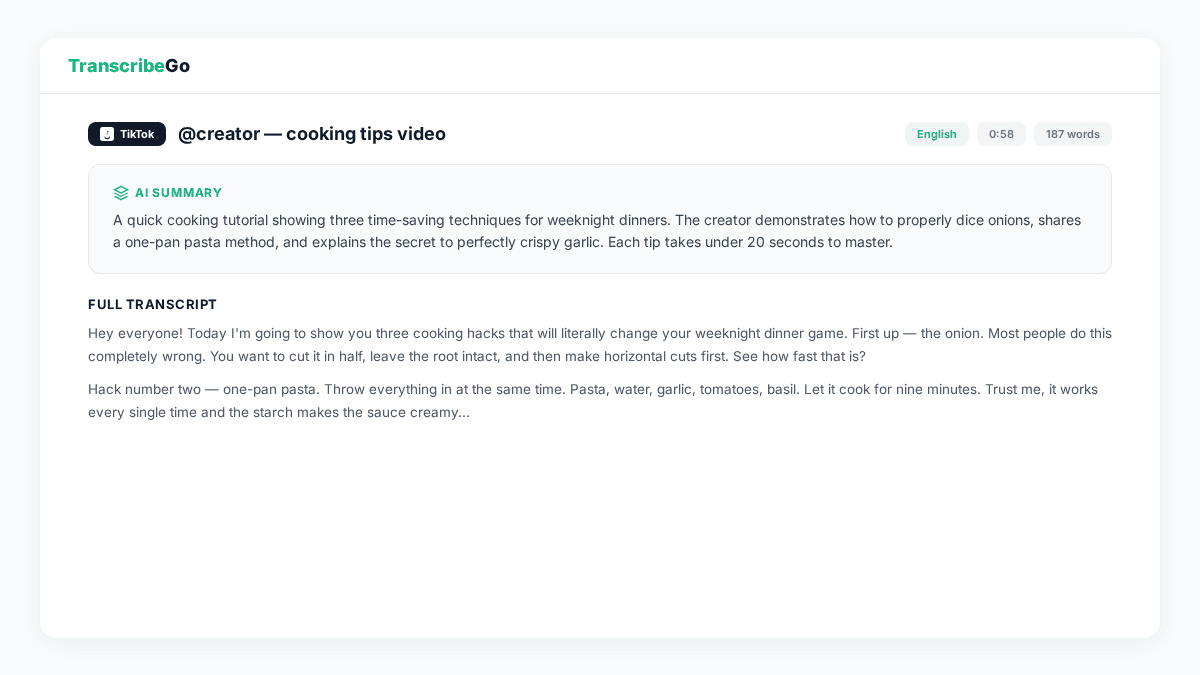
Once processing is complete, you'll land on the result page. Here you'll find:
- Full text transcript — the complete spoken content from the TikTok video, with automatic punctuation and paragraph breaks
- AI summary — a concise overview of what the video covers
- Metadata — detected language, word count, audio duration, and source badge (TikTok)
- Timestamps — word-level timing for precise reference
The transcript is fully editable — you can correct any words directly in the text area before copying or exporting. The AI automatically detects the spoken language, so it works whether the TikTok is in English, Spanish, Portuguese, Hindi, Arabic, or any of the 90+ supported languages.
Step 4: Download Subtitles (SRT) or Copy the Text
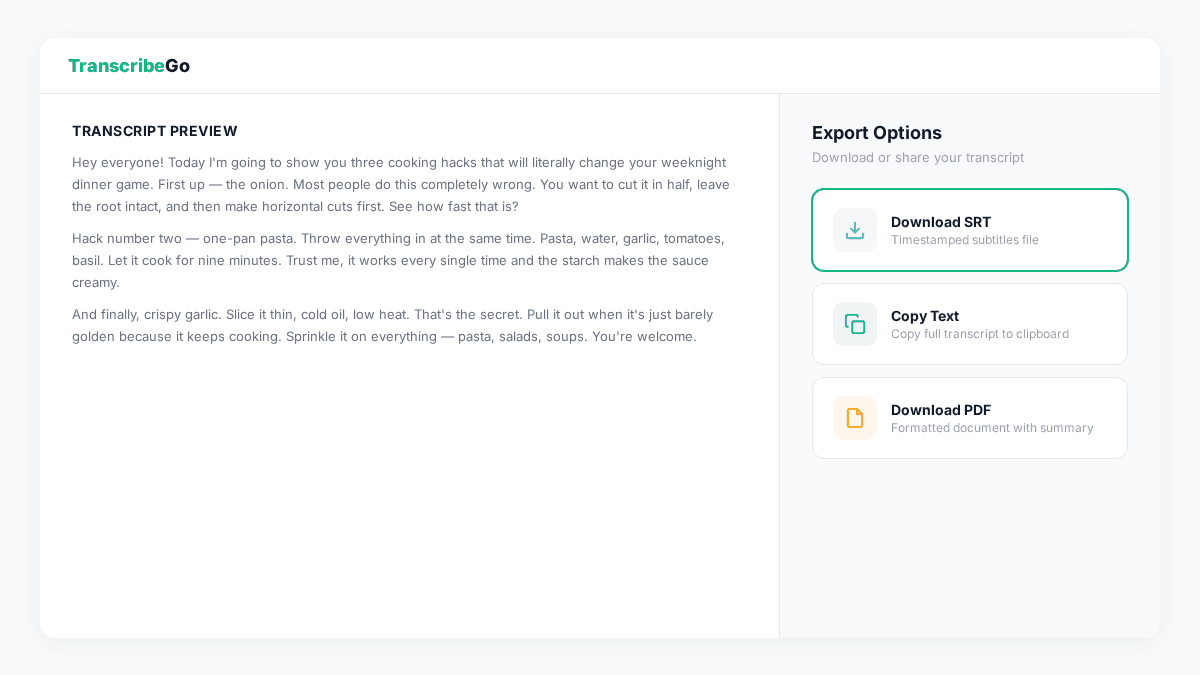
From the result page, you have several export options:
- Copy text — copies the plain transcript to your clipboard, ready to paste into a document, social media post, or note-taking app
- Download SRT — generates an SRT subtitle file with precise timestamps, perfect for adding captions to a re-edited version of the video or importing into video editors like Premiere Pro, Final Cut, or CapCut
- Download TXT — saves the transcript as a plain text file
The SRT export is particularly valuable if you're creating subtitled versions of TikTok content for other platforms like YouTube Shorts or Instagram Reels, where adding captions has been shown to increase engagement by up to 80%.
Step 5: Translate to Any Language (Optional)
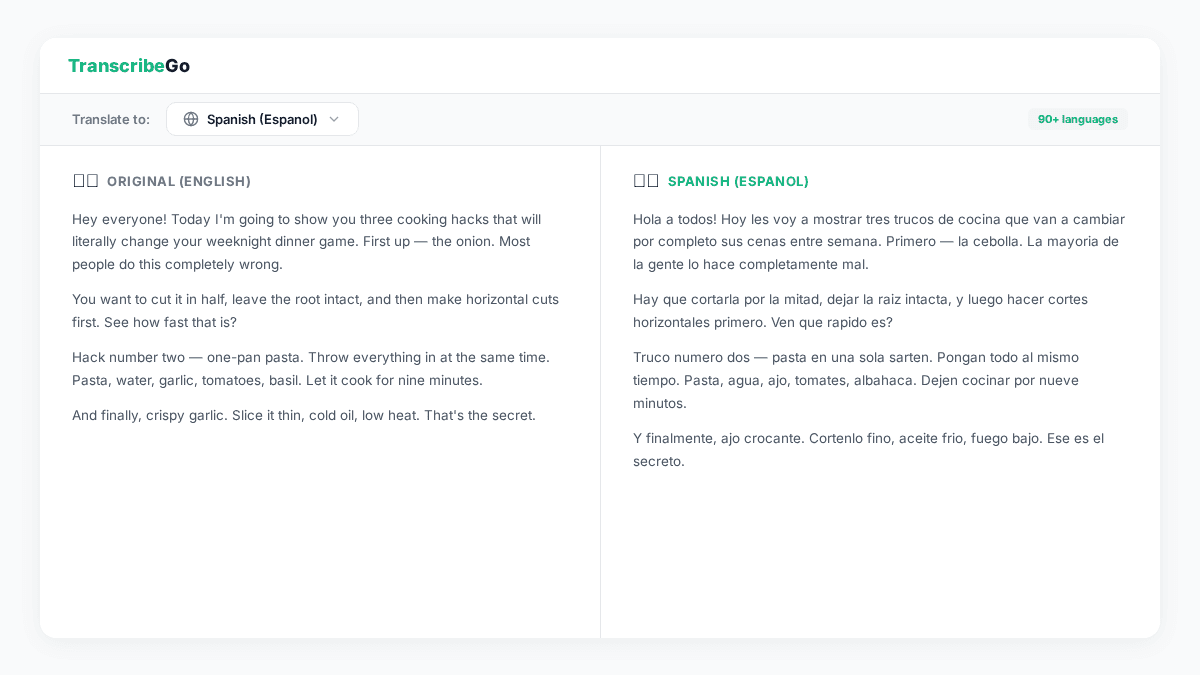
Need the transcript in a different language? TranscribeGo's built-in translation feature lets you convert the TikTok transcript into any of 90+ languages with one click. This is useful when you're:
- Repurposing international content — transcribe a Spanish TikTok and get the English version for your blog
- Creating multilingual subtitles — generate SRT files in multiple languages
- Researching global trends — understand what creators in other markets are talking about
Select your target language from the dropdown and click Translate. The translated text appears alongside the original, and you can download both versions.
Why Transcribe TikTok Videos?
Beyond simple convenience, transcribing TikTok content opens up several practical workflows:
Content Repurposing
With over 60 million active creators on TikTok producing content daily, there's a massive library of ideas, insights, and tutorials locked in video format. Transcribing lets you turn a 60-second TikTok into a Twitter thread, a blog paragraph, a newsletter quote, or a LinkedIn post — multiplying the value of a single piece of content.
SEO and Discoverability
Search engines can't watch videos, but they can index text. By transcribing your own TikTok content and publishing it on your website, you make that content discoverable through Google Search and AI-powered tools like ChatGPT and Perplexity. Educational content on TikTok is growing 40% year-over-year, and much of that knowledge is invisible to search engines without a text version.
Accessibility
Not everyone can listen to audio — whether due to hearing impairment, a noisy environment, or simply preferring to read. Transcripts and subtitles make your TikTok content accessible to a wider audience. Platforms with captions consistently see higher completion rates and engagement.
Research and Analysis
Marketers, journalists, and researchers regularly need to analyze what's being said across TikTok. Manually watching and noting down quotes is painfully slow. A text transcript makes it searchable, quotable, and easy to cross-reference.
TranscribeGo vs. Other TikTok Transcription Tools
| Feature | TranscribeGo | Descript | Otter.ai | Manual (TikTok captions) |
|---|---|---|---|---|
| Paste TikTok URL directly | Yes | No (upload required) | No (upload required) | N/A |
| Auto language detection | Yes (90+ languages) | Yes | English-focused | Auto-captions only |
| SRT subtitle download | Yes | Yes | No | No |
| Translation | Yes (90+ languages) | No | No | No |
| AI summary | Yes | No | Yes | No |
| Free tier | 10 min/month | Limited | 300 min/month | Free (no export) |
| Price (paid) | From $3.99/mo | From $12/mo | From $16.99/mo | N/A |
| No video download needed | Yes | No | No | N/A |
The key advantage of TranscribeGo for TikTok transcription is the URL-based workflow — you don't need to download the video first, install any software, or figure out extraction tools. Paste the link, get the text.
Try TranscribeGo Free
10 free minutes. No credit card required.
Frequently Asked Questions
Can I transcribe TikTok videos for free?▾
Yes. TranscribeGo's free plan includes 10 minutes of transcription per month — enough for roughly 20 typical TikTok videos (30 seconds each). Just paste the TikTok URL and get your transcript. No credit card required.
Do I need to download the TikTok video first?▾
No. TranscribeGo extracts the audio directly from the TikTok URL on the server side. You don't need to download, convert, or upload anything — just paste the link. The only exception is private or restricted videos, which you'd need to download and upload as a file.
What languages does TikTok transcription support?▾
TranscribeGo automatically detects the spoken language in the TikTok video and supports transcription in 90+ languages, including English, Spanish, Portuguese, French, German, Hindi, Arabic, Indonesian, Turkish, and Vietnamese. You can also translate the transcript into any of these languages after transcription.
Can I get SRT subtitles from a TikTok video?▾
Yes. After transcribing the TikTok video, click the SRT download button on the result page. You'll get a properly formatted subtitle file with timestamps that you can import into any video editor — useful for adding captions to repurposed content on YouTube, Instagram, or other platforms.
How accurate is TikTok video transcription?▾
TranscribeGo's AI transcription engine delivers 95–98% accuracy for clear speech. Accuracy may vary with heavy background music, overlapping speakers, or strong accents — common in TikTok content. You can edit any errors directly in the transcript before exporting.
