
Short answer: Upload your podcast episode to TranscribeGo, get a full transcript in minutes, then use it to create show notes, blog posts, social media clips, and SEO-optimized content — all from a single recording. Free tier includes 10 minutes per month; paid plans start at $3.99/mo for 200 minutes.
Podcasting is booming. There are now over 4.5 million podcasts worldwide, and the global podcast audience reached 619 million listeners in 2026 — a nearly 7% year-over-year increase. But here's the challenge most podcasters face: your audio content is invisible to search engines, inaccessible to deaf or hard-of-hearing listeners, and difficult to repurpose into other formats.
Transcription solves all three problems at once. And with AI-powered tools, what used to take hours of manual work now happens in minutes. This article shows you exactly how to use TranscribeGo to turn podcast recordings into transcripts, show notes, blog posts, and more.
Why Every Podcaster Needs Transcription
If you're producing a podcast and not transcribing your episodes, you're leaving significant value on the table. Here's why transcription matters for podcasters specifically.
SEO and Discoverability
Google can't listen to your podcast. It can only read text. Without a transcript, your episodes are essentially invisible to search engines. According to 3Play Media, podcasts with published transcripts see measurably higher organic traffic — This American Life reported a 4.36% increase in inbound traffic simply by adding transcripts to their episodes.
Every episode you transcribe becomes a page of indexable content, packed with natural long-tail keywords your audience is actually searching for. That's content you already created — transcription just makes it visible.
Content Repurposing
A single 45-minute podcast episode can generate enough material for a 2,000-word blog post, several social media posts, a newsletter, and a set of audiogram captions. But extracting all that manually is tedious. With a transcript in hand, the repurposing workflow becomes trivially easy: copy, edit, and publish.
Accessibility and Compliance
Transcripts make your content accessible to the estimated 466 million people worldwide with disabling hearing loss. Beyond being the right thing to do, accessibility is increasingly a legal requirement for digital content. Transcripts also help non-native speakers follow along and allow listeners in sound-sensitive environments to read instead of listen.
Show Notes That Don't Take Forever
Writing detailed show notes by hand is one of the most time-consuming parts of podcast production. With a full transcript, you can pull key quotes, timestamps, and section summaries directly — cutting your show notes creation time from an hour to minutes.
How to Transcribe a Podcast Episode with TranscribeGo
Here's the complete workflow, from raw recording to finished transcript.
Step 1: Export Your Podcast Recording
After you finish recording and editing your episode, export it in any standard audio format. TranscribeGo supports over 50 formats including MP3, WAV, M4A, OGG, FLAC, AAC, and more. Most podcast editors (Audacity, GarageBand, Adobe Audition, Descript, Hindenburg) export to MP3 or WAV by default — either works perfectly.
Step 2: Upload to TranscribeGo
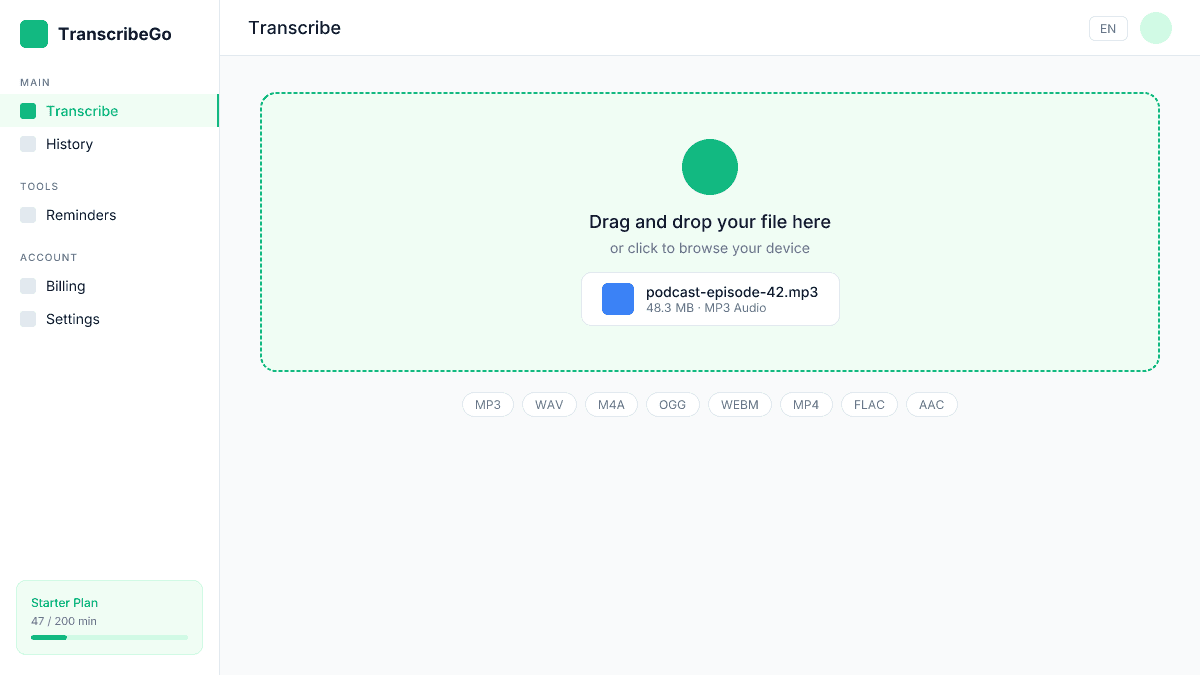
Go to TranscribeGo and open the Transcribe page. Drag and drop your audio file into the upload area, or click to browse your device. TranscribeGo handles files of any length — from a quick 5-minute solo segment to a 3-hour interview marathon.
Step 3: Get Your Transcript
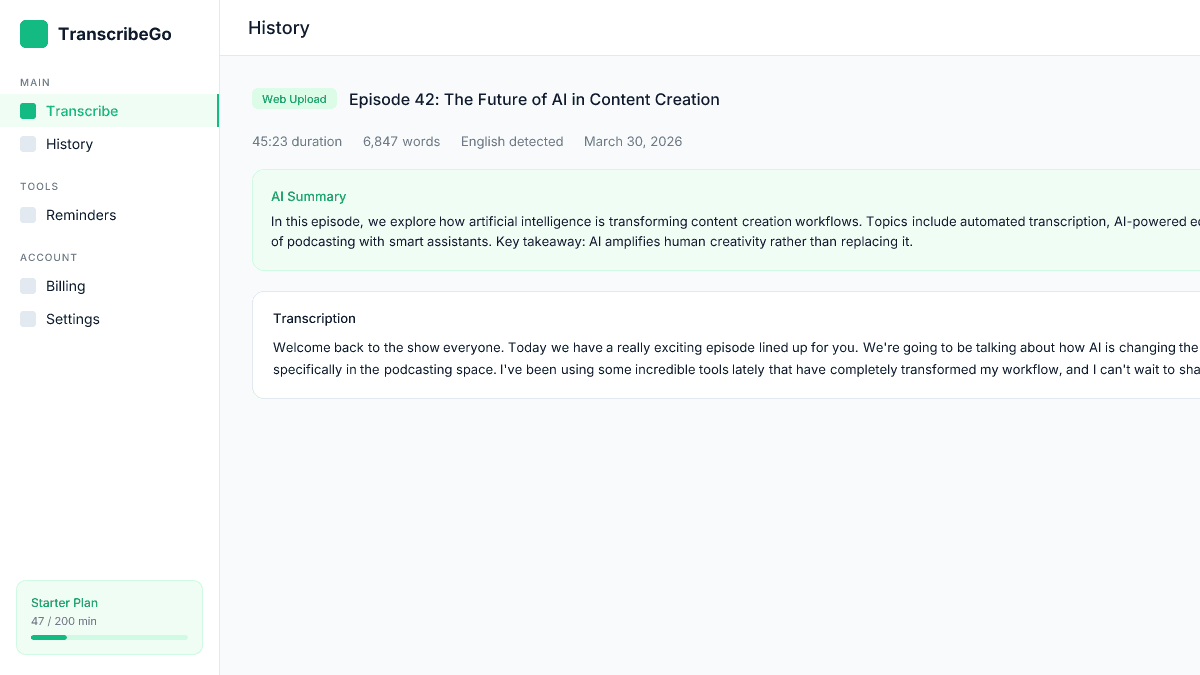
TranscribeGo's AI processes your audio and delivers a complete transcript in minutes. A typical 60-minute episode takes about 2–3 minutes to transcribe. The result includes the full text with punctuation, paragraph breaks, and automatic language detection.
Step 4: Review the AI Summary
Every transcription comes with an AI-generated summary that captures the main topics and key points discussed in the episode. This is incredibly useful for podcasters because it gives you a ready-made foundation for show notes, episode descriptions, and social media posts.
Step 5: Download or Copy Your Transcript
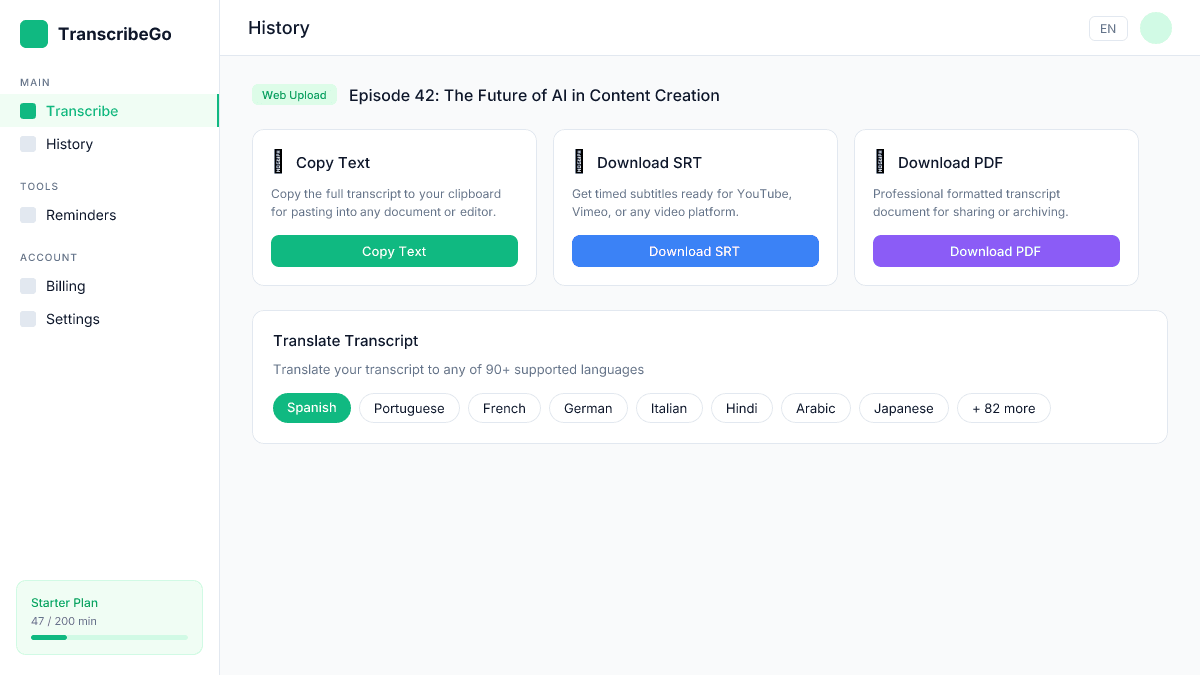
You have several export options depending on what you need:
| Format | Best For |
|---|---|
| Full text (copy/paste) | Blog posts, show notes, newsletters |
| SRT file | YouTube uploads, video podcasts, subtitles |
| Translation (90+ languages) | Reaching international audiences |
Transcribe Podcast Episodes from a URL
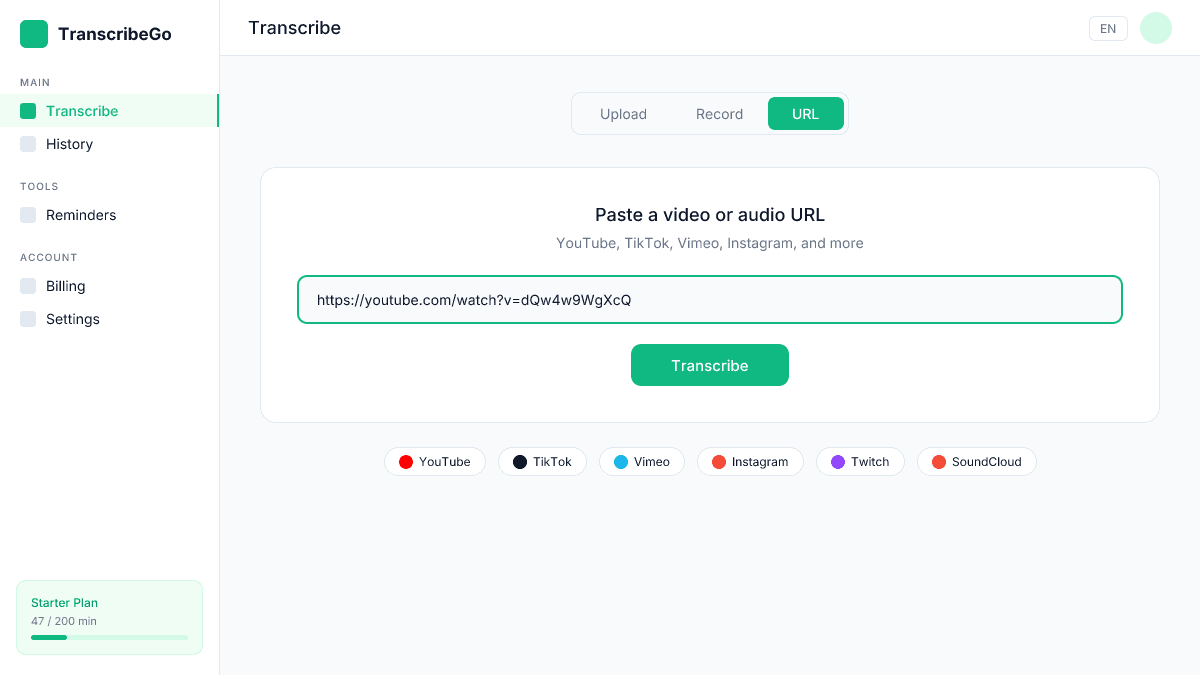
If your episodes are already published on YouTube, Vimeo, or another video platform, you don't even need to download the file first. TranscribeGo's URL transcription feature lets you paste the video URL directly and get a transcript without any file handling.
This is especially useful for video podcasters who publish on YouTube — just paste the URL of the published episode and TranscribeGo handles the rest.
5 Ways Podcasters Use Transcripts
Once you have your transcript, the real value kicks in. Here are five practical ways podcasters are using TranscribeGo transcripts today.
1. SEO-Optimized Blog Posts
Publish the transcript (or an edited version) as a blog post for each episode. This creates a searchable, indexable page that drives organic traffic to your podcast. Add headings based on topic shifts, pull out key quotes as highlighted text, and include relevant internal links.
A single episode transcript can easily become a 1,500–2,500 word blog post — the kind of long-form content Google loves to rank.
2. Detailed Show Notes
Use the AI summary and key sections of the transcript to build comprehensive show notes. Include timestamps (from the SRT export), guest quotes, and links mentioned in the episode. Detailed show notes improve listener experience and give podcast directories more metadata to work with.
3. Social Media Content
Pull memorable quotes, statistics, and insights from your transcript to create social posts. A 45-minute episode might contain 10–15 shareable moments that would take ages to find by re-listening, but are easy to spot when reading. Check out our guide on turning videos into Twitter posts for more on this workflow.
4. Newsletter Material
If you send a weekly or bi-weekly newsletter, your podcast transcript is a goldmine. Summarize the episode, include the best quotes, and link back to the full episode. Subscribers who don't have time to listen get the key takeaways, and you've repurposed content without writing anything from scratch.
5. Subtitles for Video Podcasts
If you publish video versions of your podcast (increasingly common on YouTube, TikTok, and Instagram), TranscribeGo's SRT export gives you ready-made subtitle files. Adding subtitles to video content significantly boosts engagement — studies show that 80% of viewers are more likely to finish a video when captions are available.
How TranscribeGo Compares for Podcast Transcription
| Feature | TranscribeGo | Otter.ai | Descript | Rev (AI) |
|---|---|---|---|---|
| Price (entry) | $3.99/mo | $16.99/mo | $24/mo | $0.25/min |
| Free tier | 10 min/mo | 300 min/mo (limited) | 1 hr/mo | None |
| Upload transcription | Yes | Yes | Yes | Yes |
| URL transcription | Yes (YouTube, TikTok, Vimeo) | No | No | No |
| SRT export | Yes | No | Yes | Yes |
| Translation | 90+ languages | No | No | No |
| AI summary | Included | Included | Included | No |
| WhatsApp bot | Yes | No | No | No |
TranscribeGo stands out for podcasters who need more than just a transcript. The combination of URL transcription (paste your YouTube link), SRT subtitles (for video podcasts), and translation (for reaching international listeners) covers the full podcast workflow at a fraction of the cost of dedicated podcast tools.
Try TranscribeGo Free
10 free minutes. No credit card required.
A Practical Weekly Workflow for Podcasters
Here's a simple workflow you can adopt today:
Recording day: Record and edit your episode as usual. Export the final audio as MP3 or WAV.
Transcription (5 minutes): Upload to TranscribeGo. While it processes, draft your episode title and description.
Show notes (15 minutes): Use the AI summary as your starting point. Add timestamps from the SRT file. Pull 2–3 key quotes from the transcript. Add links and references.
Blog post (30 minutes): Clean up the transcript for readability — add headings, remove filler words, break into logical sections. Publish as a companion blog post.
Social media (10 minutes): Extract 3–5 quotable moments from the transcript. Create text posts, quote cards, or audiogram captions.
Total added time: about 1 hour. In return, you get SEO-optimized content, accessibility, detailed show notes, social media material, and a repurposing pipeline — all from content you already produced.
How long does it take to transcribe a podcast episode?▾
TranscribeGo processes most audio at roughly 30x real-time speed. A 30-minute episode takes about 1 minute; a 60-minute episode takes 2–3 minutes. Longer episodes (2+ hours) may take 5–10 minutes. Processing happens server-side, so your computer's specs don't matter — you can close the tab and come back to a finished transcript.
Can I transcribe podcast episodes in languages other than English?▾
Yes. TranscribeGo automatically detects the language of your audio and supports transcription in dozens of languages. You can also translate the finished transcript into 90+ languages with one click — useful for podcasters who want to reach international audiences with translated show notes or subtitles.
Is the AI transcription accurate enough for published show notes?▾
TranscribeGo's AI achieves 95–98% accuracy on clear audio. For a well-recorded podcast (decent microphone, minimal background noise), accuracy is typically at the higher end of that range. We recommend a quick review pass before publishing, but most podcasters find the output needs only minor edits — far less time than writing from scratch.
Can I transcribe my podcast directly from YouTube or Spotify?▾
You can transcribe from YouTube, Vimeo, and TikTok by pasting the video URL directly into TranscribeGo — no download needed. Spotify doesn't provide public audio URLs, so for Spotify-only episodes you'll need to upload the original audio file. Since you have the source file as the podcast creator, this is usually not an issue.
How much does podcast transcription cost with TranscribeGo?▾
The free tier gives you 10 minutes per month — enough to try it with a short episode or segment. The Starter plan ($3.99–$6.99/mo) includes 200 minutes, which covers about 4–5 weekly episodes of 45 minutes each. The Pro plan ($12.99–$19.99/mo) includes 1,000 minutes, suitable for daily shows or multiple podcasts. There are also one-time extra minute packs if you occasionally need more.