
You can transcribe WhatsApp voice notes automatically by either using WhatsApp's built-in transcript feature (limited to a handful of languages, manual tap required per message) or by connecting an AI transcription service like TranscribeGo that transcribes every incoming voice note instantly — in 90+ languages, with summaries and translations included. The second option is the clear winner if you receive more than a few voice messages a day.
WhatsApp users send over 7 billion voice messages every day, and 62% of daily WhatsApp users rely on voice notes as their default way to communicate. That's a lot of audio to process — especially when you're in meetings, commuting, or simply prefer reading to listening. In this guide, we'll walk you through every method available to turn those voice notes into searchable, shareable text.
Method 1: WhatsApp's Built-In Transcription (Quick but Limited)
WhatsApp rolled out native voice message transcripts in November 2024. The feature processes audio on-device, so your messages stay private. Here's how to enable it:
Step 1: Open WhatsApp and go to Settings → Chats → Voice message transcripts.
Step 2: Toggle transcription on and select your preferred language.
Step 3: Long-press any voice message in a chat and tap Transcribe.
The transcript appears directly below the voice note bubble. Simple enough — but there are real limitations you should know about.
What WhatsApp's Built-In Feature Can't Do
While convenient for occasional use, the native feature falls short in several areas:
Limited language support. Android supports just 5 languages (English, Portuguese, Spanish, Hindi, Russian). iOS is better with up to 20 languages on iOS 17+, but that still leaves dozens of widely spoken languages unsupported.
Manual activation required. You have to long-press and tap "Transcribe" on every single message. There's no way to auto-transcribe all incoming voice notes — which makes it impractical if you get dozens per day.
No translation. The transcript is always in the same language as the audio. If someone sends you a voice note in Portuguese and you need it in English, you're out of luck.
No summaries or search. You get raw text with no way to summarize long messages, highlight key points, or search across your transcription history.
Accuracy varies. Users frequently report the transcript quality as inconsistent, especially with accents, background noise, or mixed-language messages.
Method 2: TranscribeGo via WhatsApp (Fully Automatic)
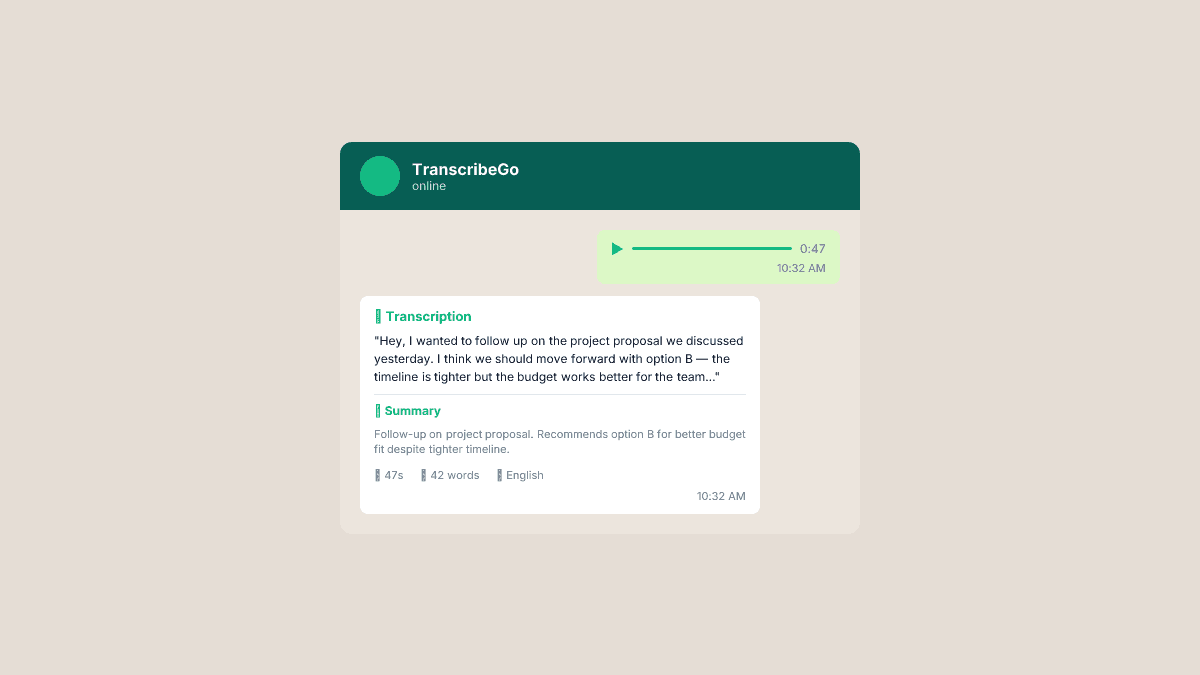
TranscribeGo takes a fundamentally different approach: instead of transcribing one message at a time inside the app, you send or forward voice notes to TranscribeGo's WhatsApp bot and get a full transcription back in seconds — automatically, with no manual steps.
How to Set It Up
Step 1: Save TranscribeGo's number. Visit transcribeme.app and save the bot's WhatsApp number to your contacts.
Step 2: Send a voice note. Record a new voice message or forward an existing one from any chat to the TranscribeGo contact.
Step 3: Get your transcript. Within seconds, TranscribeGo replies with the full text — plus an AI-generated summary, word count, and detected language.
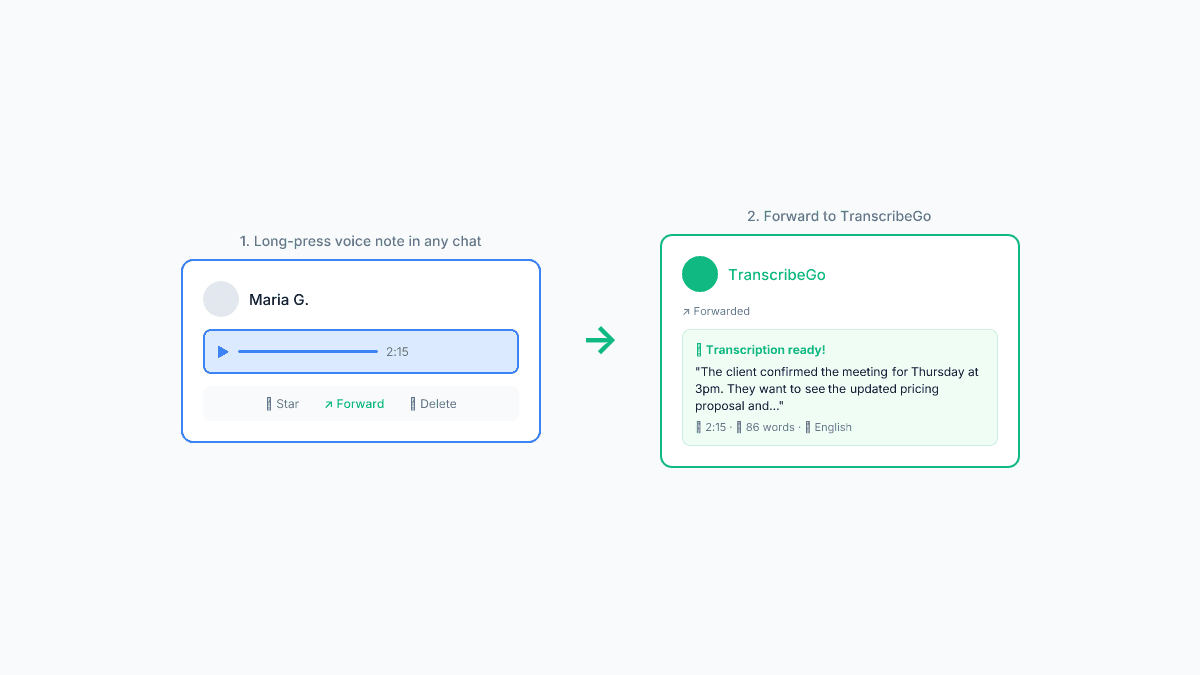
That's it. No app to download, no settings to configure, no buttons to tap. Every voice note you send gets transcribed automatically.
Why It Beats the Built-In Option
| Feature | WhatsApp Built-In | TranscribeGo |
|---|---|---|
| Languages | 5–20 (depends on OS) | 90+ |
| Auto-transcribe | No (manual tap each time) | Yes (instant, automatic) |
| Translation | No | Yes (90+ languages) |
| AI Summary | No | Yes |
| Accuracy | Inconsistent | 95–98% (AI-powered engine) |
| Long voice notes | Same limitations | Up to 5 hours |
| Searchable history | No | Yes (web dashboard) |
| Works offline | Yes (on-device) | No (cloud-based) |
Method 3: TranscribeGo Web App (Upload or Record)
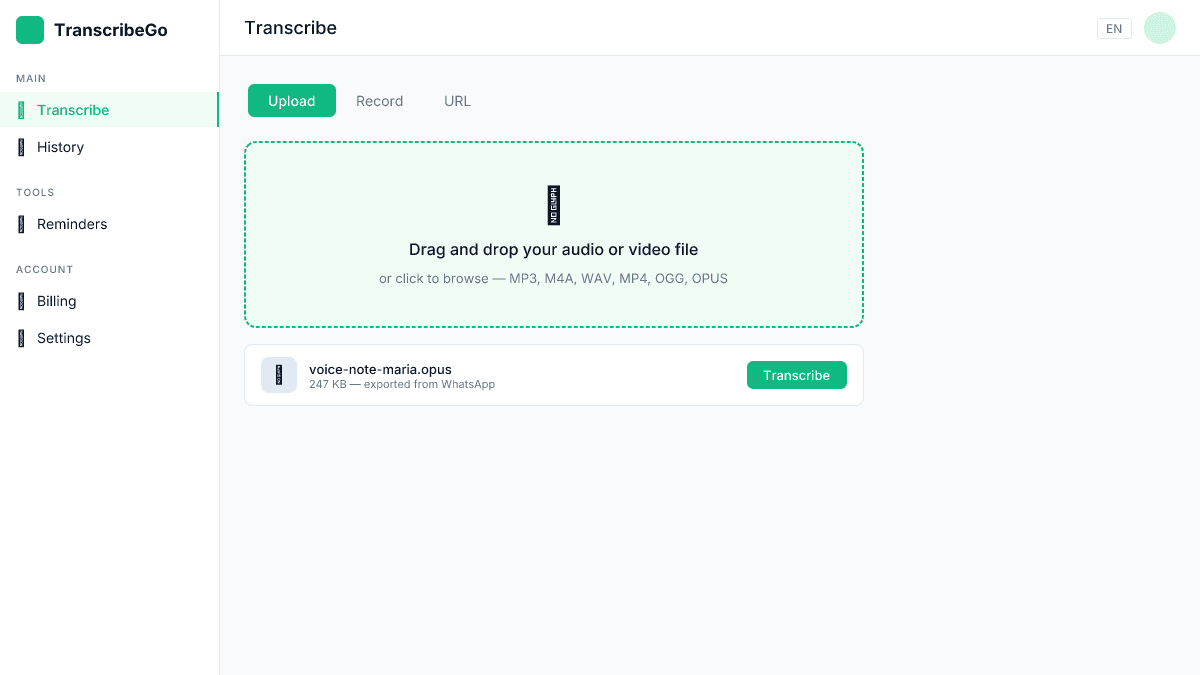
If you've already saved voice notes as audio files, or if you want to transcribe voice recordings from sources beyond WhatsApp, the TranscribeGo web app gives you a full-featured transcription workspace.
How to Use It
Step 1: Export the voice note from WhatsApp. Long-press the message → tap the share/forward icon → save to your device.
Step 2: Go to transcribego.com and sign in (free account is all you need to start).
Step 3: Drag and drop the audio file, or paste a URL if you have one.
Step 4: Get your transcript with options to download as SRT, translate to another language, or copy the text.
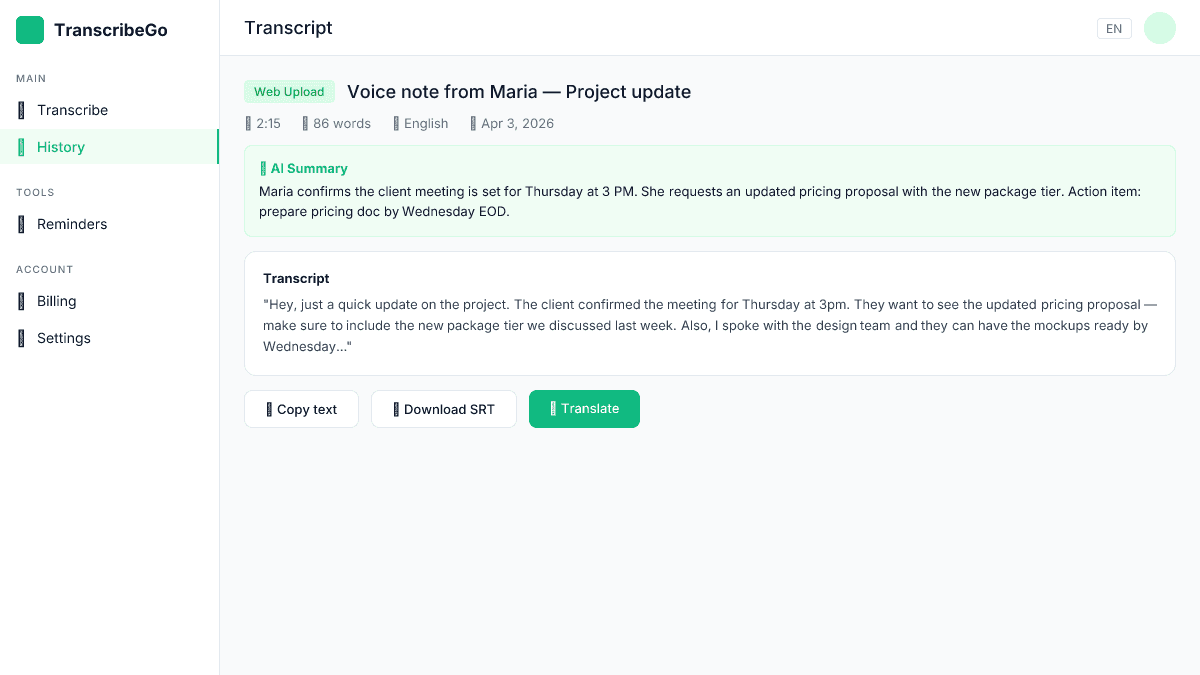
The web app is ideal when you need to:
- Transcribe multiple exported voice notes in batch
- Download subtitles (SRT) from voice recordings
- Translate transcriptions into specific languages
- Keep a searchable archive of all your transcriptions
When to Use Each Method
Use WhatsApp's built-in transcription when you get an occasional voice note in a supported language and just need a quick peek at what it says. It's on-device, it's free, and it requires no setup.
Use TranscribeGo's WhatsApp bot when you receive voice notes regularly and want every message transcribed automatically — especially in languages WhatsApp doesn't support natively. This is the best option for professionals, business owners, and anyone who lives in WhatsApp-heavy communication cultures (Latin America, India, parts of Europe and Africa).
Use the TranscribeGo web app when you've already exported audio files, need to transcribe from other sources (YouTube, TikTok, meetings), or want features like SRT export and batch processing.
Real-World Use Cases
Sales teams in Latin America where WhatsApp is the primary business communication channel. Reps forward client voice notes to TranscribeGo, get instant transcripts they can reference in CRM notes, and never miss a detail from a long voice message.
Journalists who conduct interviews over WhatsApp voice notes. Instead of replaying 3-minute messages multiple times, they get searchable text with summaries — ready to quote in articles.
Students in study groups where classmates share voice notes explaining concepts. Transcripts make it possible to search, highlight, and review later — something audio alone can't do.
Multilingual families and teams where messages arrive in different languages. TranscribeGo transcribes in the original language and translates to your preferred one, bridging language gaps effortlessly.
Pricing: What Does It Cost?
TranscribeGo offers a free tier that's generous enough for light users:
| Plan | Minutes/Month | Price |
|---|---|---|
| Free | 10 | $0 |
| Starter | 200 | $3.99–$6.99/mo |
| Pro | 1,000 | $12.99–$19.99/mo |
The free plan gives you 10 minutes per month — enough to try the service and transcribe a handful of voice notes. For heavy WhatsApp users, the Starter plan covers about 200 minutes of audio, which translates to roughly 100–150 typical voice messages.
Extra minutes are also available as one-time purchases starting at $1.99 for 100 minutes, so you're never locked into a subscription if your needs fluctuate.
Try TranscribeGo Free
10 free minutes. No credit card required.
Tips for Better WhatsApp Transcription Accuracy
No matter which method you use, these tips help you get cleaner transcripts:
Speak clearly and at a normal pace. AI transcription engines handle natural speech well, but mumbling or speaking too fast introduces errors.
Minimize background noise. Voice notes recorded in quiet environments transcribe significantly more accurately than those recorded in cars, cafés, or crowded streets.
Avoid switching languages mid-message. If you regularly code-switch (mixing English and Spanish in the same sentence, for example), the transcription engine may struggle with transitions. Keeping to one language per message improves results.
Use the right language setting. In WhatsApp's built-in feature, make sure the selected transcript language matches the audio. TranscribeGo detects the language automatically, so this is handled for you.
Can I transcribe WhatsApp voice notes without any app?▾
Yes. WhatsApp's built-in transcription feature works directly within the app — no additional downloads needed. Go to Settings → Chats → Voice message transcripts to enable it. However, it only supports 5–20 languages depending on your device, requires manual activation per message, and doesn't offer translation or summaries.
How accurate is WhatsApp voice note transcription?▾
WhatsApp's built-in transcription accuracy varies significantly depending on accent, background noise, and language. Users commonly report inconsistent results. AI-powered transcription services like TranscribeGo achieve 95–98% accuracy by using advanced speech recognition models optimized for diverse accents and audio conditions.
Can I translate a WhatsApp voice note to another language?▾
WhatsApp's built-in feature does not support translation — it only transcribes in the original language. To translate a voice note, you need a third-party service. TranscribeGo can transcribe in the original language and then translate the text into 90+ languages, all in one step.
Is it safe to use a third-party service for WhatsApp voice transcription?▾
When you forward a voice note to a transcription service, the audio is processed on secure servers to generate the transcript. TranscribeGo uses encrypted connections and does not store your audio after processing. For maximum privacy, WhatsApp's built-in feature processes audio on-device — but with significantly fewer features and language support.
How many WhatsApp voice notes can I transcribe for free?▾
TranscribeGo's free plan includes 10 minutes of transcription per month. A typical WhatsApp voice note is 15–60 seconds, so you can transcribe roughly 10–40 voice messages per month at no cost. If you need more, paid plans start at $3.99/month for 200 minutes.
