
TranscribeGo now does lists. Right inside the same WhatsApp or Telegram chat you already use to transcribe voice notes, you can create a list, add items to it, check things off as you go, and forward the whole thing to a friend. No new app, no extra login — just tell the bot what you need and it keeps the list for you.
Lists join Reminders as part of a bigger idea: TranscribeGo isn't only for turning audio into text anymore. It's becoming a real assistant that lives in the palm of your hand, in the chat app you already keep open all day.
Why lists in a chat?
People remember unfinished tasks far better than finished ones — and that's exactly the problem. The Zeigarnik Effect, first described by psychologist Bluma Zeigarnik in the 1920s, shows that every open loop you're holding in your head quietly drains mental energy until you close it. Writing things down is what releases that load: the moment a task is captured somewhere you trust, your brain stops rehearsing it.
The catch is friction. Most list apps ask you to download something, open it, tap into the right list, and type. So the milk you needed never makes it onto a list at all. TranscribeGo removes that step entirely. With more than 3.3 billion people on WhatsApp and 1 billion on Telegram, the list lives exactly where your thumbs already are.
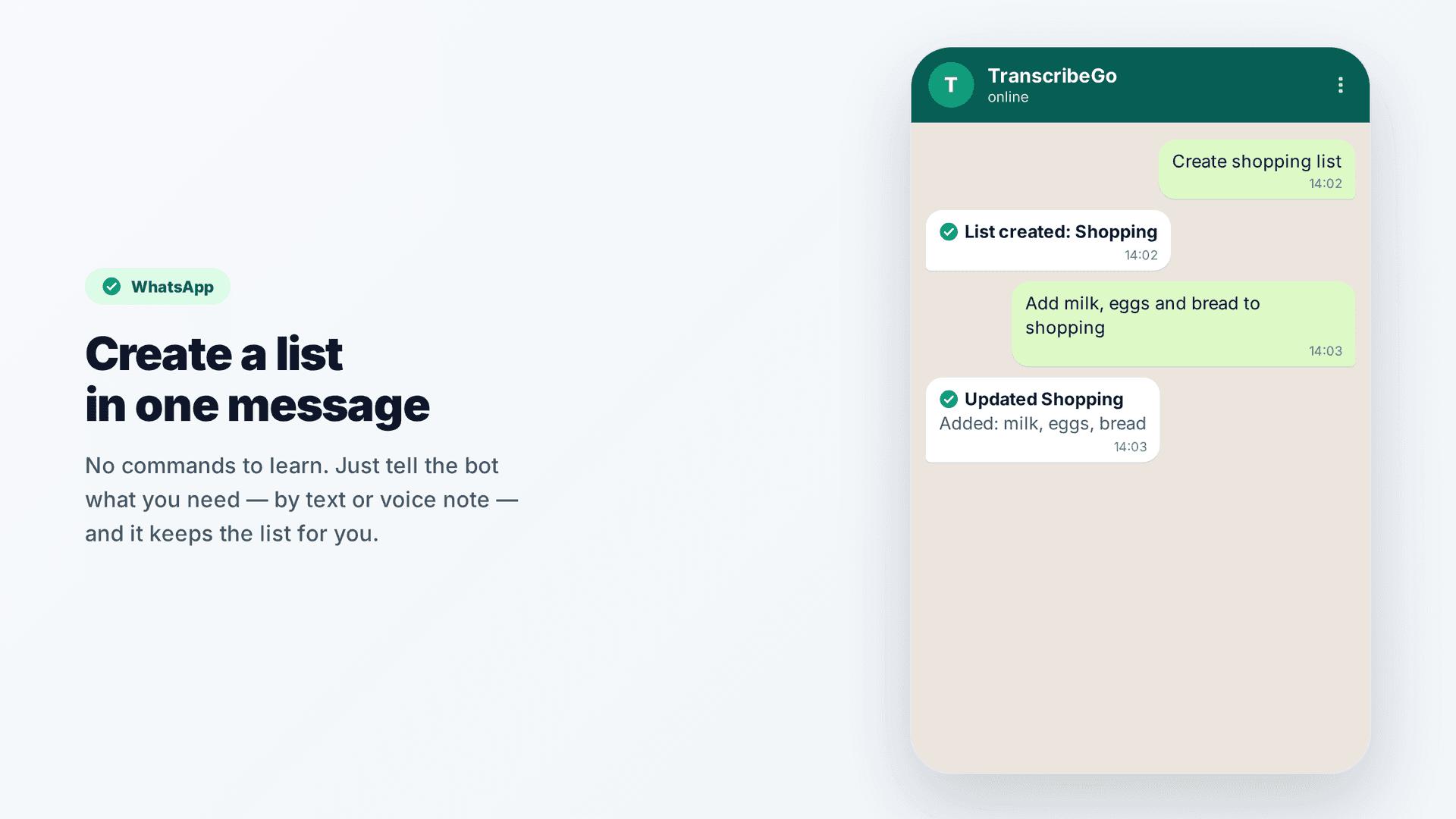
Create a list in one message
You don't learn commands. You just talk. Send the bot a message like:
- "Create shopping list"
- "Add milk, eggs, and bread to shopping"
The bot replies "List created: Shopping" and then "Updated Shopping — Added: milk, eggs, bread." That's it. The list now exists and follows you across every channel.
Because it understands natural language, you can pile several things into one message, mix in quantities, or add to a list that already exists. You can also send a voice note instead of typing — say your list out loud and the bot turns it into items.
Check things off as you go
This is where a chat-based list feels different from a paper one. As you move through the supermarket, you just tell the bot what you've handled:
- "I bought milk and eggs" → Marked in Shopping: milk, eggs
- "Uncheck bread" → Unchecked in Shopping: bread
- "Reset the shopping list" → everything goes back to unchecked
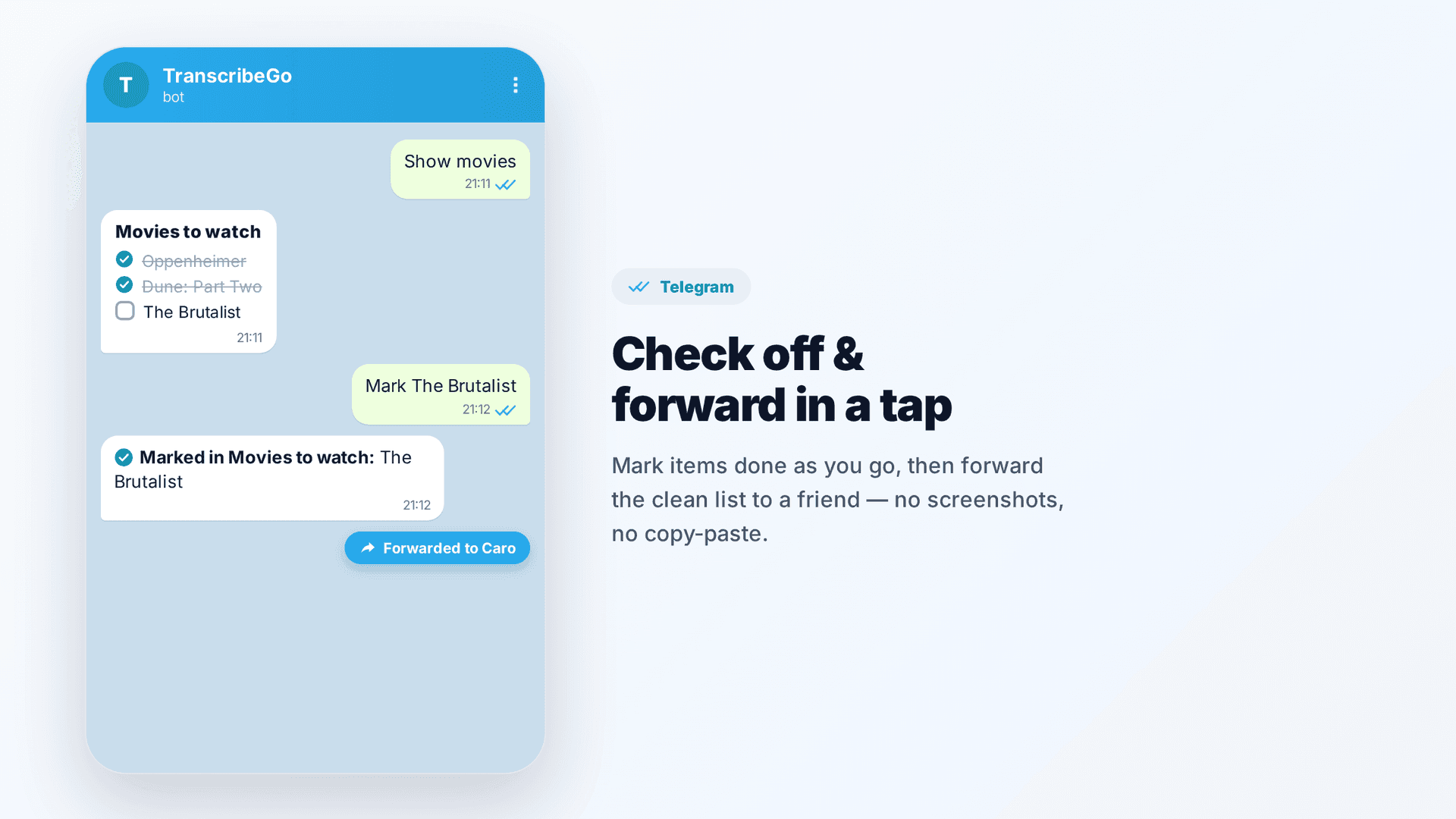
Need to see where you stand? Ask "Show shopping" and the bot sends the full list back, formatted and ready to read at a glance:
Shopping
1. [x] milk
2. [x] eggs
3. [ ] bread
The same message is built to be forwarded. One long-press, forward, and your partner has the exact list — no screenshots, no copy-paste gymnastics.
Lists that remind you — Lists meet Reminders
Here's the combination that turns a list into a habit. TranscribeGo already lets you set reminders by voice or text — "Remind me to call the client tomorrow at 3pm" — and now you can point a reminder straight at a list.
Tell the bot:
"Every Monday, remind me to review my shopping list."
When Monday comes, you get the nudge in your chat, you ask for the list, and you're ready to plan the week's shop in seconds. The same trick works for anything recurring: a weekly meal plan, a monthly bills checklist, the packing list you always forget the night before a trip.
This is the heart of what TranscribeGo is becoming — not a single tool, but a small assistant in your pocket that captures, remembers, and reminds, all without leaving the chat.
It's not just groceries
The grocery list is the obvious one, but the feature is deliberately open-ended. People are already using it for:
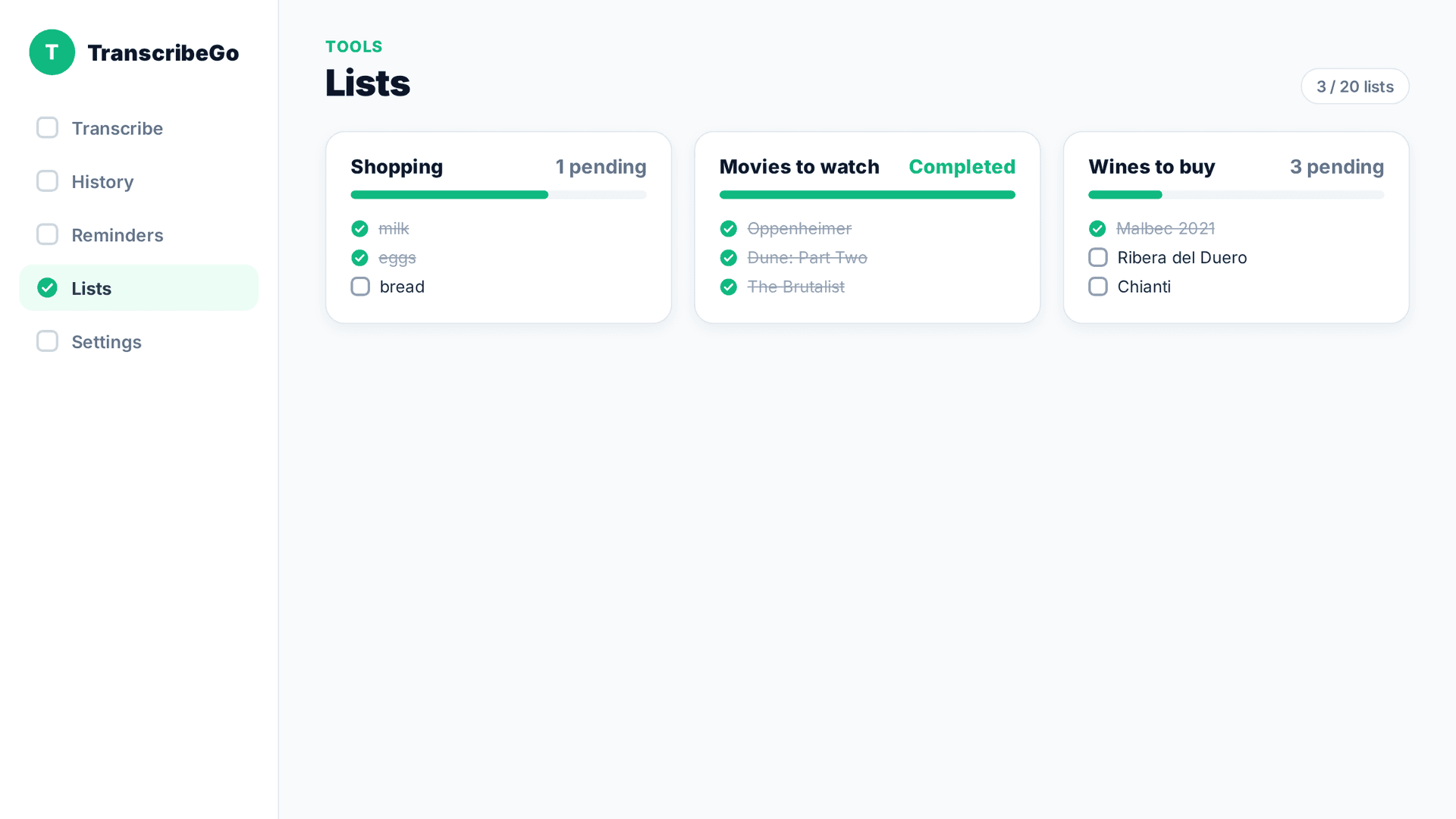
Movies and shows to watch. Drop in titles whenever a friend recommends one, check them off after movie night, and forward the list when someone asks "what should we watch?"
Wines to buy. Keep a running list of bottles you liked at dinner so you actually remember them at the shop.
Books to read, gifts to buy, places to visit, restaurants to try. Any "I should remember that" moment becomes a single message.
Because every list produces a clean, forwardable message, sharing is effortless — send your reading list to a friend, or your packing list to whoever you're traveling with.
One account, every channel
Like everything in TranscribeGo, your lists aren't trapped in one place. Create a list on WhatsApp in the morning, add to it from Telegram at lunch, and review it on the web dashboard at night — it's the same list everywhere, under one unified account. Your transcriptions, your reminders, and now your lists all live together.
That's the whole point. The bot you message to transcribe a voice note is the same bot that holds your shopping list and pings you on Monday morning. One chat, doing more of the small things that quietly run your day.
Try TranscribeGo Free
10 free minutes. No credit card required.
Frequently Asked Questions
How do I create a list on WhatsApp or Telegram?▾
Just send the bot a message like "create shopping list," or add items directly with "add milk and eggs to shopping." You can type it or send a voice note. The bot understands natural language, so there are no special commands to memorize.
Can I check items off and reset the list later?▾
Yes. Tell the bot "I bought milk and eggs" to mark them done, "uncheck bread" to undo one, or "reset the shopping list" to set everything back to unchecked. Ask "show shopping" any time to see the current state.
Can I get a reminder to review a list?▾
Absolutely. You can link any list to a reminder with a message like "every Monday, remind me to review my shopping list." When the time comes, you get a nudge in your chat and can pull up the list instantly.
How do I share a list with someone else?▾
When you ask the bot to show a list, it sends back a clean, numbered message that's ready to forward. Just forward it like any other chat message — your friend gets the full list with no screenshots or copy-paste needed.
Do my lists work across WhatsApp, Telegram, and the web?▾
Yes. Lists are tied to your unified TranscribeGo account, so a list you create on WhatsApp also appears on Telegram and on the web dashboard at transcribego.com. Add and check items from whichever channel is closest to hand.
What else can I use lists for besides groceries?▾
Anything you want to remember: movies and shows to watch, wines to buy, books to read, gifts, packing lists, places to visit. Any time you think "I should write that down," one message to the bot does it.